
We're delighted to present the latest updates and enhancements to MBioLIMS. This page describes the new features and changes we've made to give you an even better experience. Find out what's in store for you in this version and how it can benefit your use.
General
-
You can now choose the unit when searching for volume, quantity or concentration values. This applies to both simple and advanced search.
-
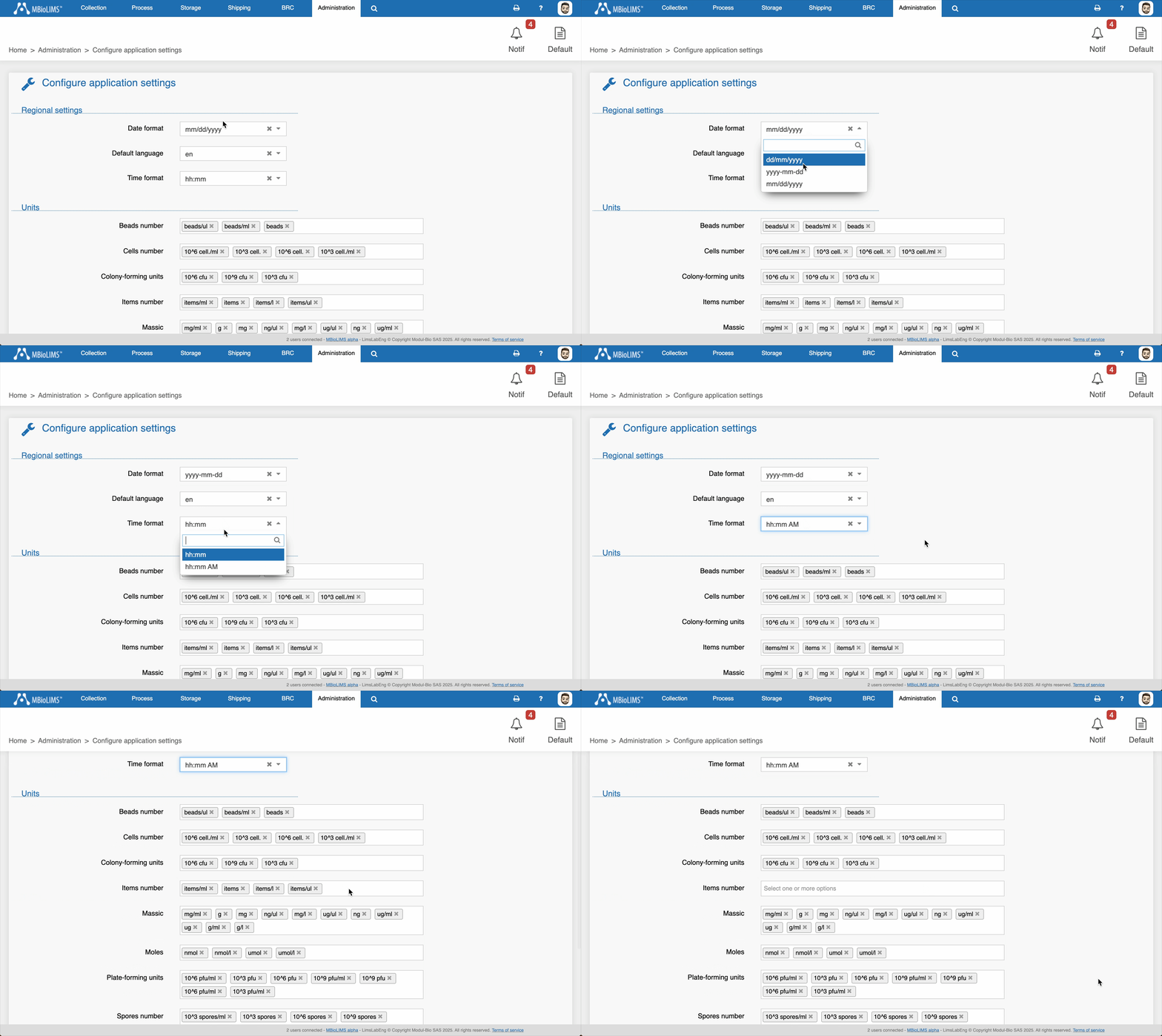
You can now select the date and time format for MBioLIMS in the application settings to choose how dates and times are displayed across the platform (this setting does not affect date fields inside eCRFs). After the update, administrators may need to review and set the preferred format manually.
-
You can now select the units used in MBioLIMS from the application settings, ensuring that only the units you need appear during data entry in the various forms. After the update, an administrator should review this setting, as additional units may have been enabled by default.
-
You can now choose the default language for MBioLIMS in the application settings.
-
French and English are now both available in all MBioLIMS environments that previously had only one language. Please note that if your environment includes custom developments, some parts may not be translated in the newly added language.
Visit
-
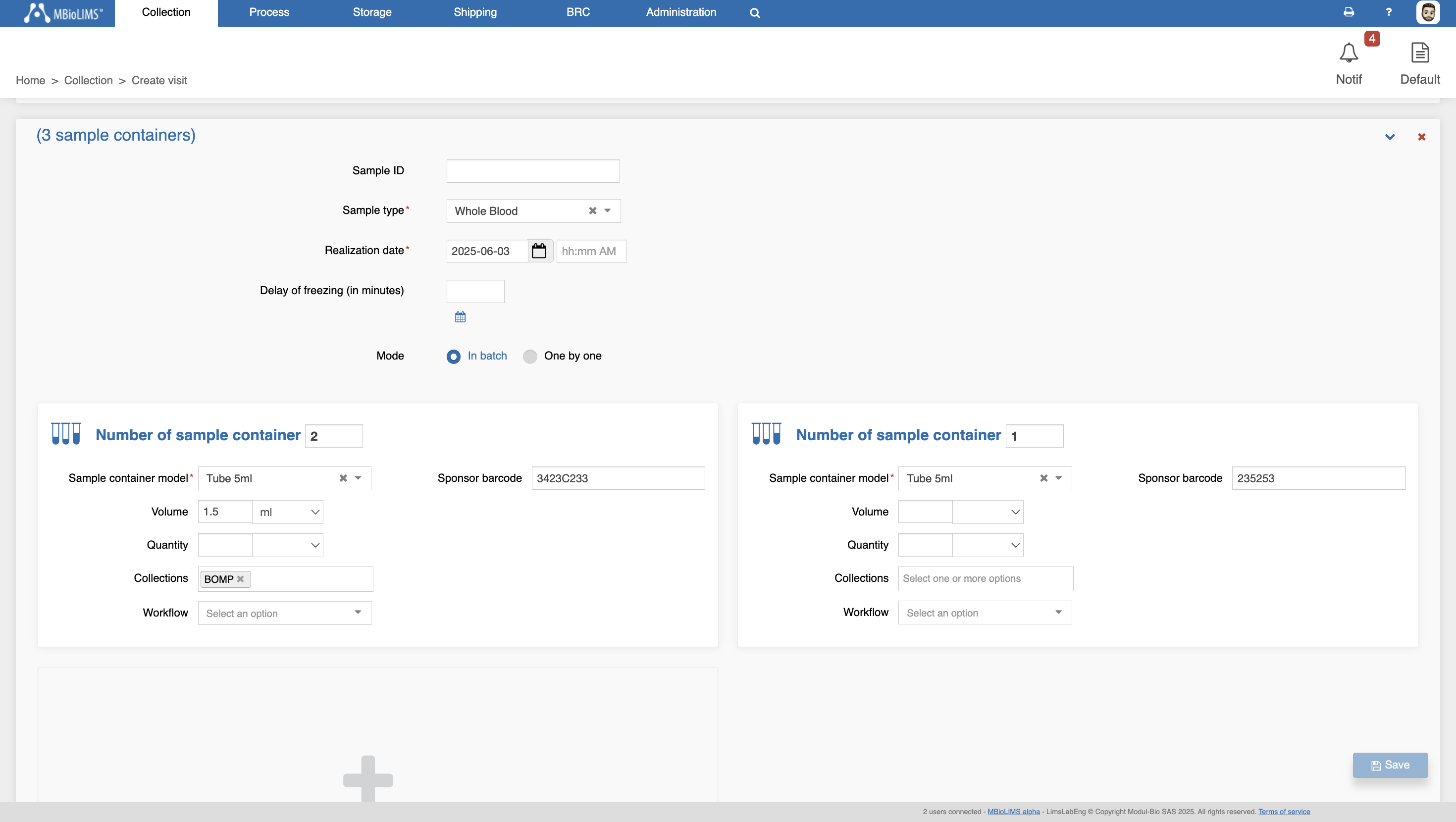
The visit creation page has been redesigned to let you complete tube custom fields directly during visit setup. This major improvement means you can now define all relevant tube information—including custom fields with default values and applicable conditions—without needing to revisit each tube afterward. It significantly speeds up data entry and ensures everything is captured in one go.
Sample
-
You can now add all visible sample containers to the cart from the panel, even without selecting them individually.
Reports
-
You can now generate reception reports directly from the reception page using your own report templates.
Import / Export
-
Removed the mandatory requirement for the “Requestor first name” and “Recipient first name” columns in the legacy data import file for Request and shipping, aligning it with the contact management settings where these fields are not mandatory.
Resolved issues
-
Fixed an issue where exporting search results to Excel failed if some columns were added to the results but not used as filters.
-
Fixed an issue where filter values were reset after a simple search. Filters are now set to read-only during search loading to prevent user input from being overwritten when results are returned.
-
Fixed an issue where changing the number of sample containers displayed in the sample container panel too quickly, before the data finished loading, could result in no containers being shown.
-
Fixed an issue where updating the collection date of a derived sample did not update the associated tubes’ dates. Tube dates are now correctly updated, except for tubes created through aliquoting, which retain the aliquoting date.
-
Fixed an issue where custom fields based on species conditions could disappear when editing a sample.