

We're pleased to introduce MBioLIMS 26, named "Sormiou" — in keeping with our Provençal calanques, after "Sugiton".
This release marks a major milestone with a complete redesign of the Custom Fields module. Fully reimagined, it gives you a far richer and more powerful way to tailor your records. It also introduces a new API, more modern and more complete, opening up new integration and automation possibilities, along with many other day-to-day improvements.
Custom Fields
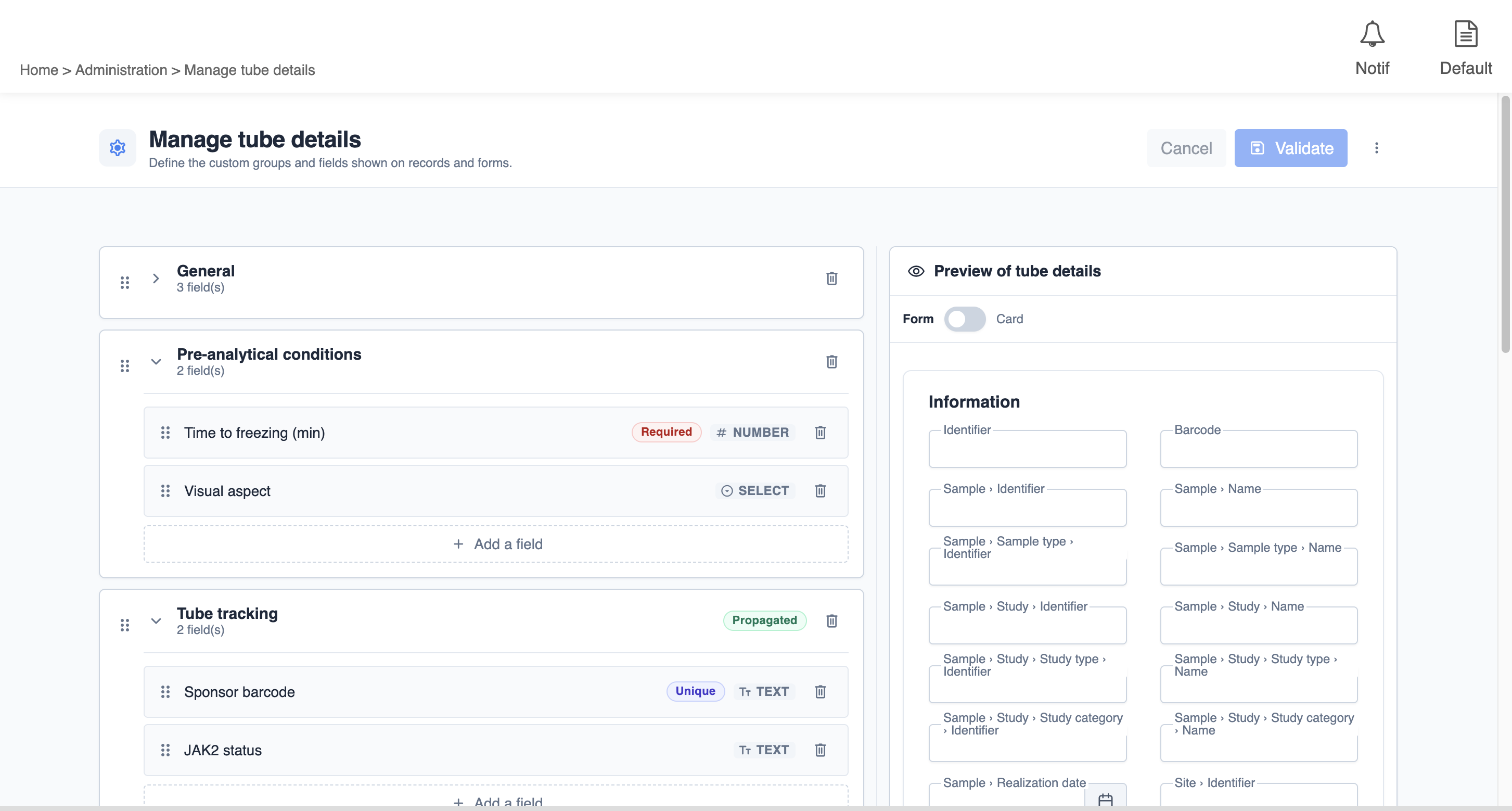
The Custom Fields module has been entirely redesigned. The former two-step setup (create a field, then link it to a record) gives way to direct customization, record by record, with a real-time preview.
-
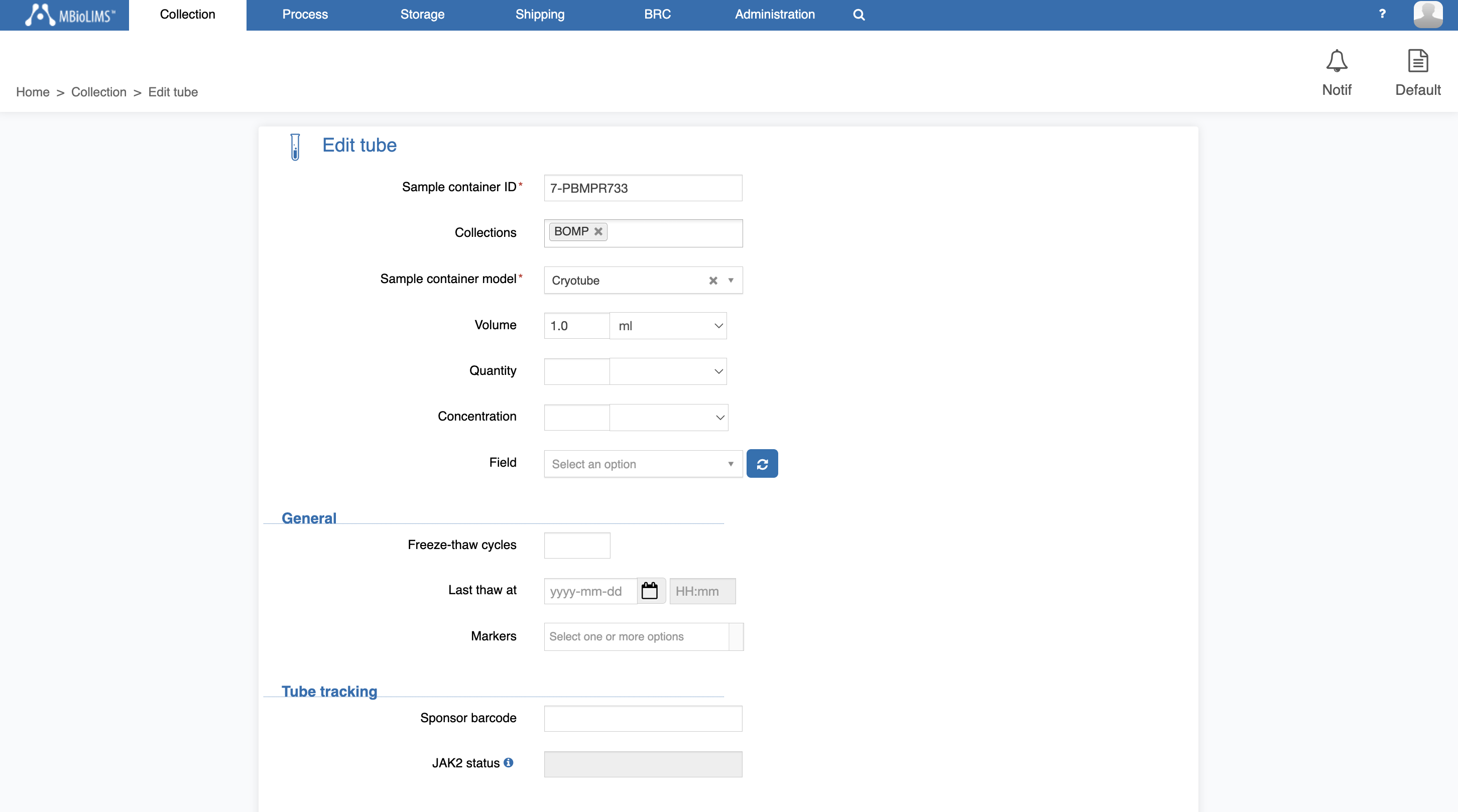
You now customize each entity from a single page: a management panel on the left to build your form, and a preview panel on the right that instantly reflects your choices.
-
Fields can be organized into groups laid out across 1 to 4 columns, reorderable by drag and drop, for clearer and better-structured records.
-
New: repeatable groups let you enter several occurrences of the same set of fields (for example a list of medications with their name and dose), with a configurable minimum and maximum number of rows.
-
The list of field types has been reviewed and clarified: text, multi-line text, number, checkbox, date, date and time, URL, dropdown (displayed as a list or as radio buttons) and multi-select list.
-
Dropdown options can be entered manually (with a default value) or imported from a file (Excel/CSV).
-
Dropdown options can also be populated dynamically from your Contacts and Departments reference data, with grouping by institution and contextual filtering based on another field's value.
-
Each field (or group) can carry conditional display and requirement rules: make a field visible, required, read-only, or give it a default value depending on another field's value. A UI mode covers common needs directly through the interface, while an advanced mode lets you add code to express finer conditions.
-
Time zone handling has been improved and standardized.
-
You can update the custom fields of several items in a single operation from the bulk edit screen.
-
A field's label must be unique within a given entity, to avoid any ambiguity.
-
Settings can be imported at the level of each entity, making it easy to replicate a configuration from one instance to another. In addition, custom field settings imports (at the global level) have been overhauled: they now handle merging with existing data and rely on JSON files.
-
Custom fields remain queryable from the simple search, the advanced search and the reporting views.
A new API (v2)
-
MBioLIMS introduces a new API (v2), designed to become the foundation of your future integrations and to simplify data exchange with the platform.
-
This first step goes hand in hand with the Custom Fields redesign, whose values are now directly accessible within each entity, with no extra handling.
-
It already covers several key areas (studies, patients and inclusions, samples, tubes, sample types, visit types, custom fields…), relies on standardized conventions and comes with complete documentation that is viewable and testable online.
-
Its scope will expand gradually across the 26 versions, eventually covering all of MBioLIMS' features.
-
For more technical details (endpoints, formats, authentication), see the developer documentation and the Swagger portal.
Compatibility change
-
With this version, all v1 endpoints related to custom fields are permanently removed and replaced by the new v2 API. If your integrations currently rely on these endpoints, a migration is required to move to 26. A migration guide is available to support you through this transition.
Tube Aliquoting
-
The tube aliquoting stepper has been refreshed with our new interface components for a cleaner, smoother experience — including dropdown search that now matches any part of an option, not just its beginning.
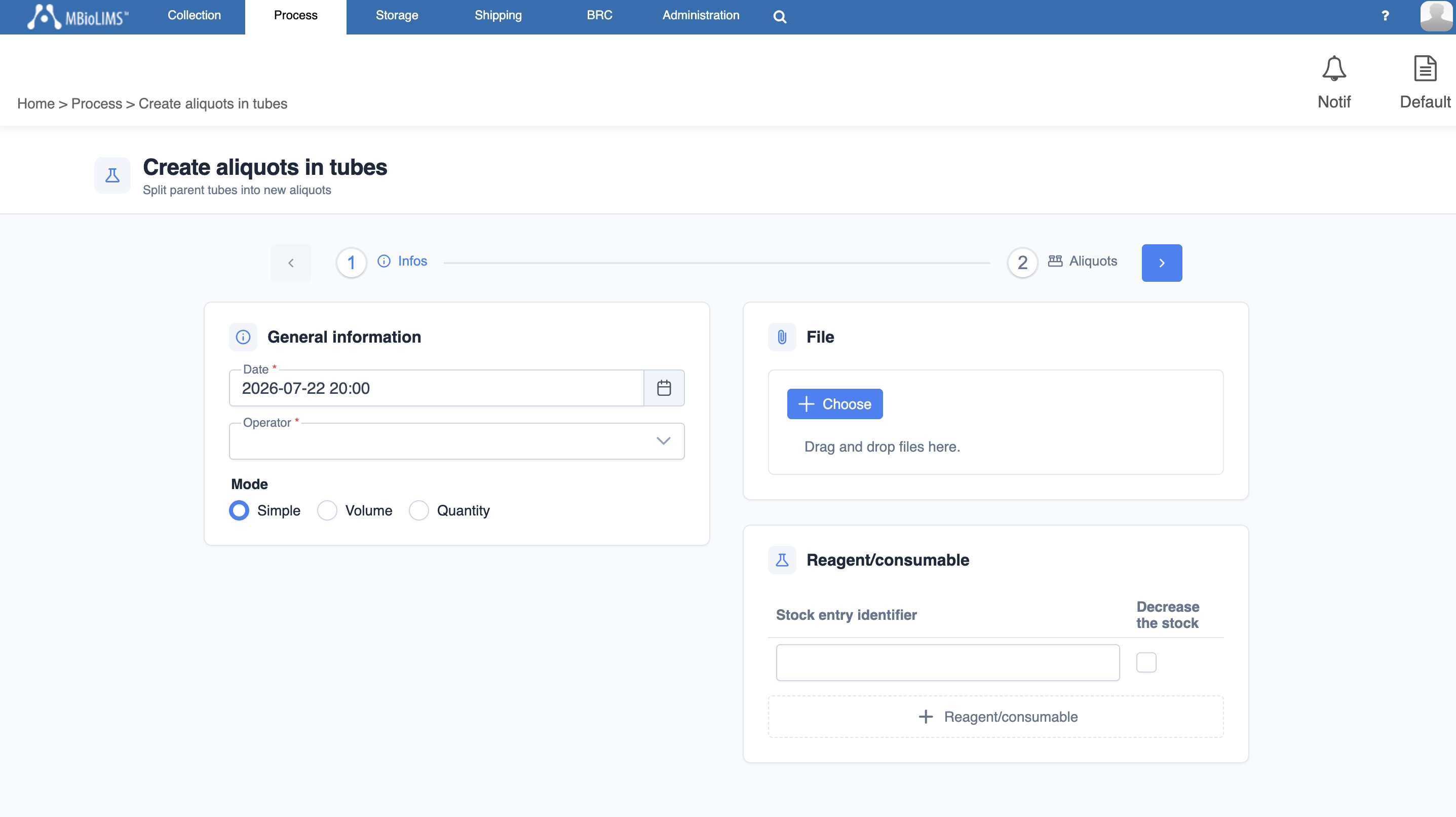
Aliquots in tubes - step 1 info
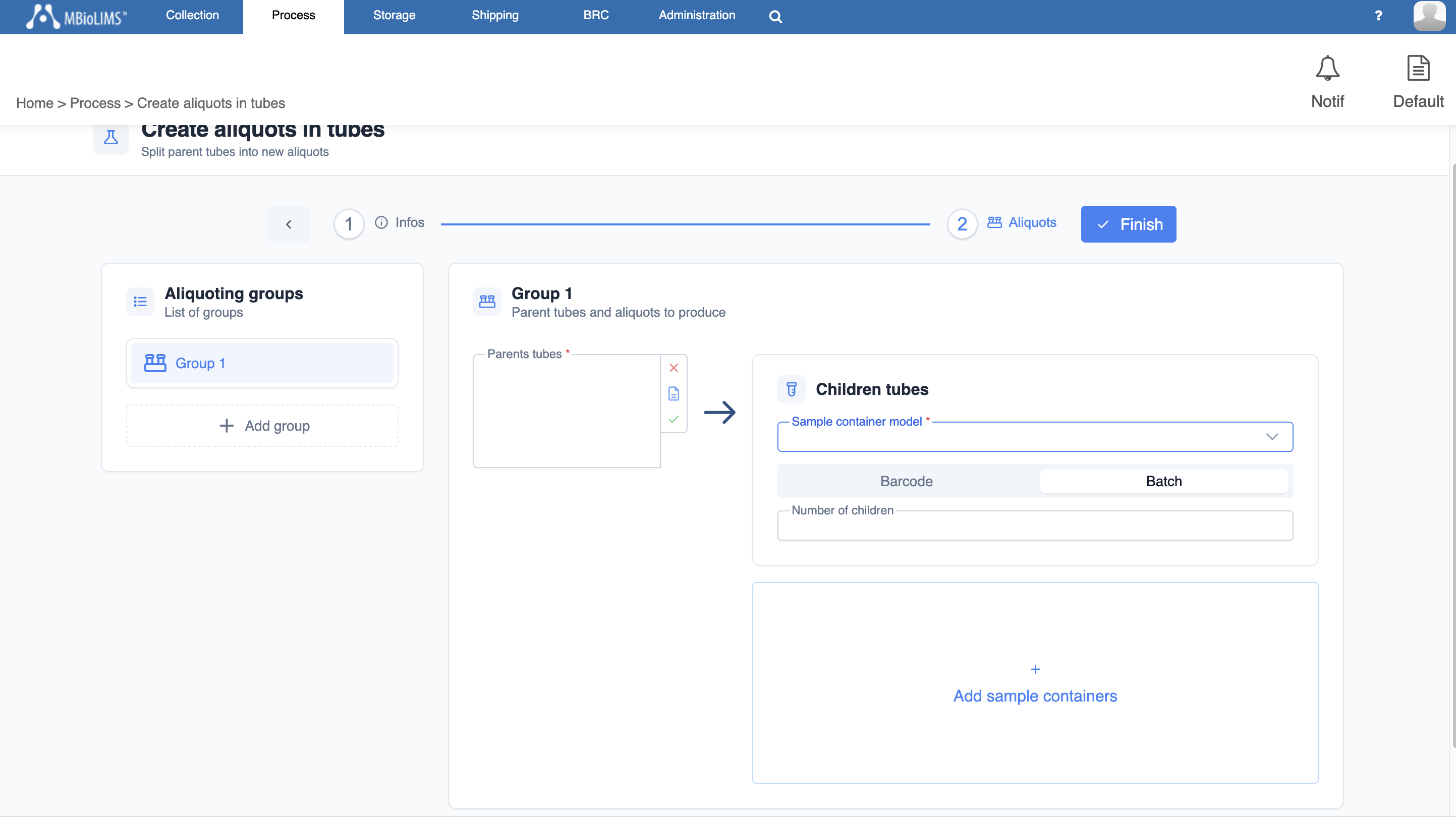
Internal Transfer
-
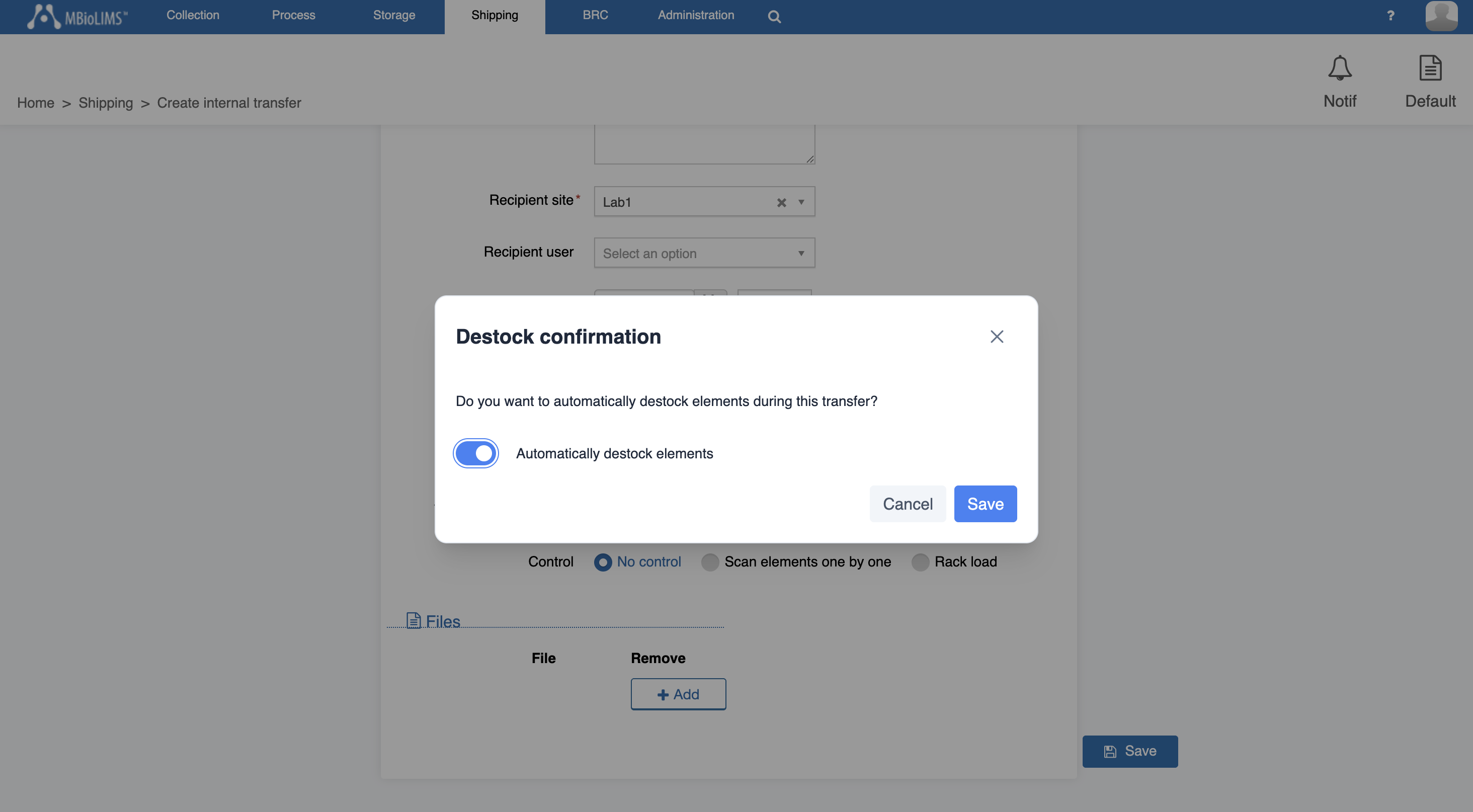
When creating an internal transfer, you can now choose whether or not the transferred items are automatically removed from storage. A confirmation dialog appears with the "Automatically destock elements" option, enabled by default: clear it to keep the items in their storage location.
-
Special case: if an item is stored in a reserved space that the destination site cannot access, automatic destocking is applied and a message informs you accordingly.
Tube
-
The recording unit for quantities expressed as "Number of cells" changes from 10³ to 10⁶ cells. Existing values have been converted automatically: the actual quantities remain unchanged.